
Application Layer
LAYER PROTOCOLS
Application Layer
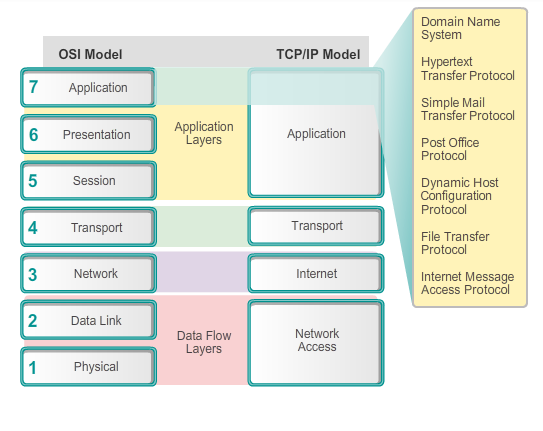 |
- TCP/IP Application Layer Protocols
- Domain Name Service Protocol (DNS)
- used to resolve Internet names to IP addresses
- Telnet
- a terminal emulation protocol used to provide remote access to servers and networking devices
- Bootstrap Protocol (BOOTP)
- a precursor to the DHCP protocol, a network protocol used to obtain IP address information during bootup
- Dynamic Host Control Protocol (DHCP)
- used to assign an IP address, subnet mask, default gateway and DNS server to a host
- Hypertext Transfer Protocol (HTTP)
- used to transfer files that make up the Web pages of the World Wide Web
- File Transfer Protocol (FTP)
- used for interactive file transfer between systems
- Trivial File Transfer Protocol (TFTP)
- used for connectionless active file transfer
- Simple Mail Transfer Protocol (SMTP)
- used for the transfer of mail messages and attachments
- Post Office Protocol (POP)
- used by email clients to retrieve email from a remote server
- Internet Message Access Protocol (IMAP)
- another protocol for email retrieval
Presentation and Session Layers
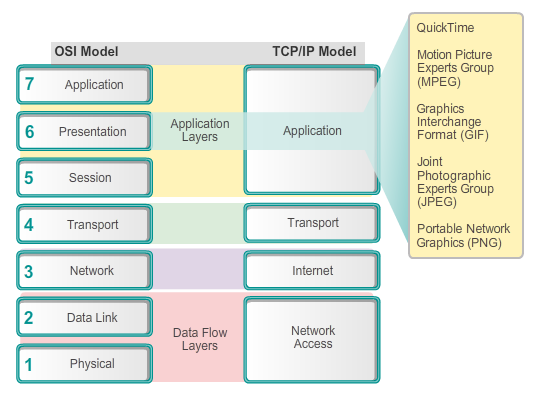 |
- Presentation layer
- Coding and conversion of application layer data
- Data compression
- Data encryption for the transmission and decryption of data upon receipt by the destination
- Session layer
- Functions, creates, and maintains dialogs between source and destination applications
- Handles the exchange of information to initiate dialogs, keep them active, and to restart sessions
Peer to Peer
| Client and server in the same communication |
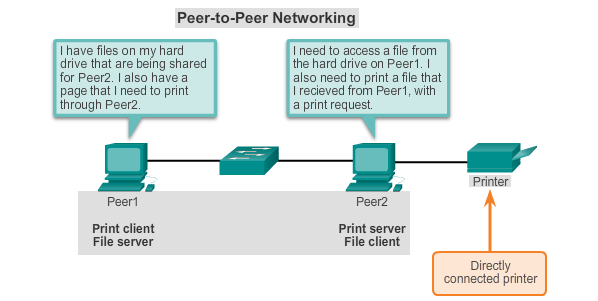 |
| Both devices are considered equal in the communication.The roles of client and server are set on a per request basis. |
| Peer-to-Peer Applications |
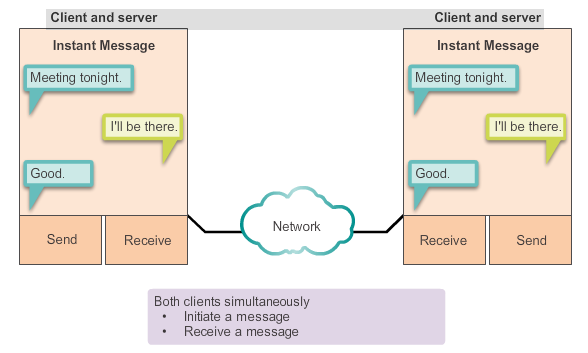 |
| Both can initiate a communication and are considered equal in thecommunication process. |
| Common P2P Applications |
|
Client-Server Model
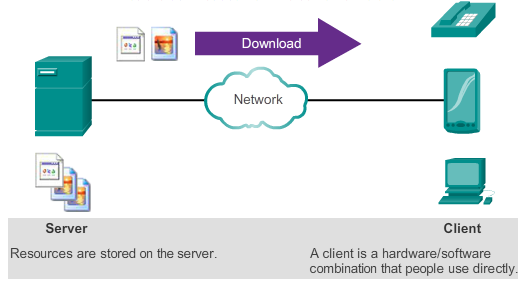 |
| Files are downloaded from server to client |
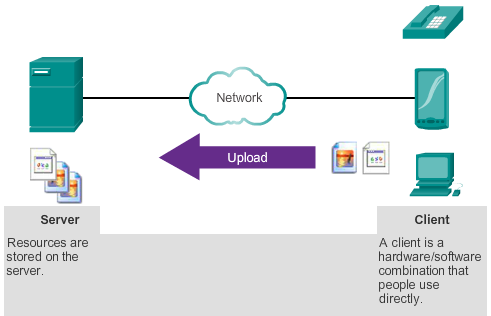 |
| Files are uploaded from the client to the server |
POPULAR PROTOCOLS & SERVICES
Common Application Layer Protocols
- Hypertext Transfer Protocol and Hypertext Markup Language
- Fully Qualified Domain Name (FQDN)
- host name and the domain name
links to an IP address of a server - FQDN Components
- top level domain - TLD (e.g .com/.net)
the domain name (e.g cisco.com/nmmu.ac.za)
the server hosting the site (e.g www/localhost) - First, the browser interprets the three parts of the URL:
- the protocol or scheme (http)
the server FQDN name (e.g learn.nmmu.ac.za)
the specific file name requested (e.g view.php)
id=526 (e.g id=526) - ...Also
- Browser checks the path on the server to link to the actual landing page
- HTTP and HTTPS
HTTP Protocol using GET Developed to publish and retrieve HTML pages 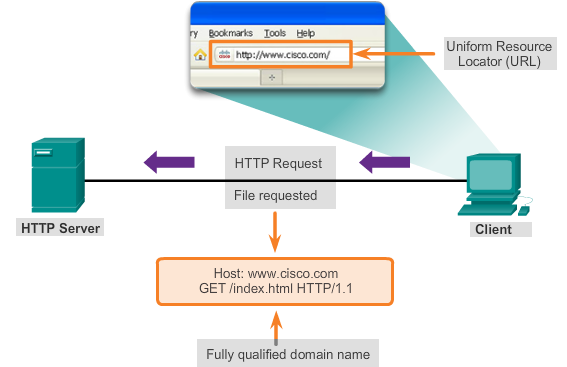
Used for data transfer Specifies a request/response protocol Three common message types are GET, POST, and PUT GET is a client request for data POST and PUT are used to send messages that upload data to theweb server - SMTP, POP, and IMAP
Typically use an application called a Mail User Agent (email client) 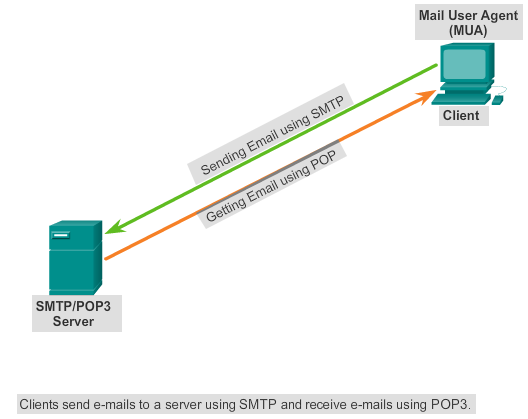
Allows messages to be sent Places received messages into the client's mailbox SMTP - Send email from either a client or a server POP - Receive email messages from an email server IMAP - Internet Message Access Protocol Email client provides the functionality of both protocols within one application
- Simple Mail Transfer Protocol (SMTP)
- transfers mail
- message must be formatted properly
- SMTP processes must be running on both the client and server
- message header must have a properly formatted recipient email address and a sender
- uses port 25
- LionShare
- Post Office Protocol (POP)
- enables a workstation to retrieve mail from a mail server
- mail is downloaded from the server to the client and then deleted on the server
- uses port 110
- POP does not store messages
- POP3 is desirable for an ISP, because it alleviates their responsibility for managing large amounts of storage for their email servers
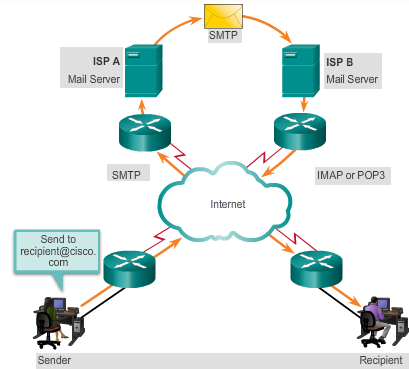
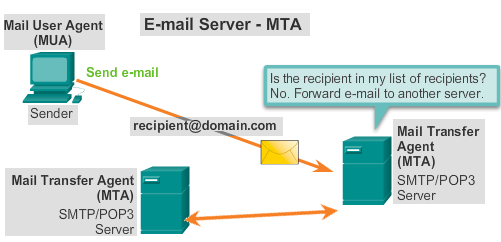
MDA accepts a piece of email from MTA and performs the actual delivery. MDA receives all the inbound mail from the MTA and places it into mailboxes MDA can also resolve final delivery issues, such as virus scanning, spam filtering, and return-receipt handling 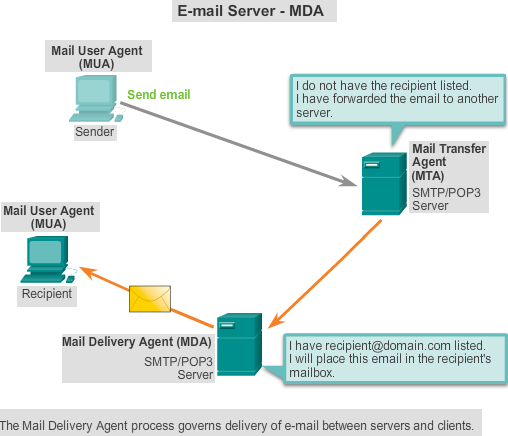
- Simple Mail Transfer Protocol (SMTP)
- Transfers mail reliably and efficiently
- Post Office Protocol (POP)
- Enables a workstation to retrieve mail from a mail server
- With POP, mail is downloaded from the server to the client and then deleted on the server
- Internet Message Access Protocol (IMAP)
- Another protocol that to retrieves email messages
- Unlike POP, when the user connects to an IMAP-capable server, copies of the messages are downloaded to the client application
- Original messages are kept on the server until manually deleted
- Simple Mail Transfer Protocol (SMTP)
Providing IP Addressing Services
| A human legiblename is resolved to its numeric network device address by the DNS protocol. | 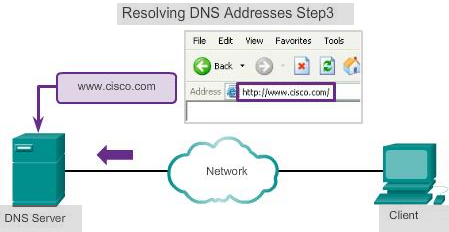 |
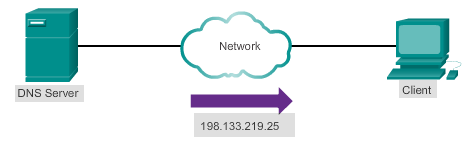 | Resolving DNS Address Step2 |
| A human legiblename is resolved to its numeric network device address by the DNS protocol. | 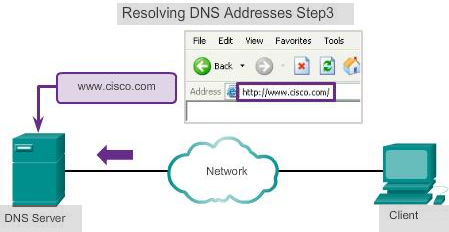 |
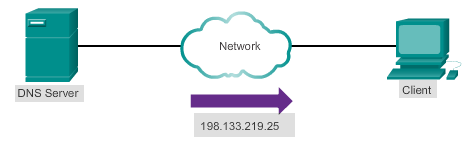 | Resolving DNS Address Step4 The number returned back to the client for use in requests of the server |
| Resolving DNS Addresses Step 5 | |
 | |
| A domain name is resolved to its numeric network device address by the DNS protocol. | |
DNS Message Format
- DNS server stores different types of resource records used to resolve names
- Contains the name, address, and type of record
- Record types are:
- A – An end device address
- NS – An authoritative name server
- CNAME – The canonical name for an alias; used when multiple services have the single network address, but each service has its own entry in DNS
- MX – Mail exchange record; maps a domain name to a list of mail exchange servers
- Unable to resolve the name using its stored records, contacts other servers
- Server temporarily stores the numbered address that matches the name in cache memory
- Windows ipconfig /displaydns displays all cached DNS